
Operational Data · Track 1 · Tutorial 1 of 10
Plan your operational data
Operational data is the group’s non-financial figures: headcount, units sold, hours worked. Ten minutes of planning saves rebuilding datasets later. Decide each dataset’s measure, dimensions, account, scenario and weighting before you create it.
1One dataset per measure
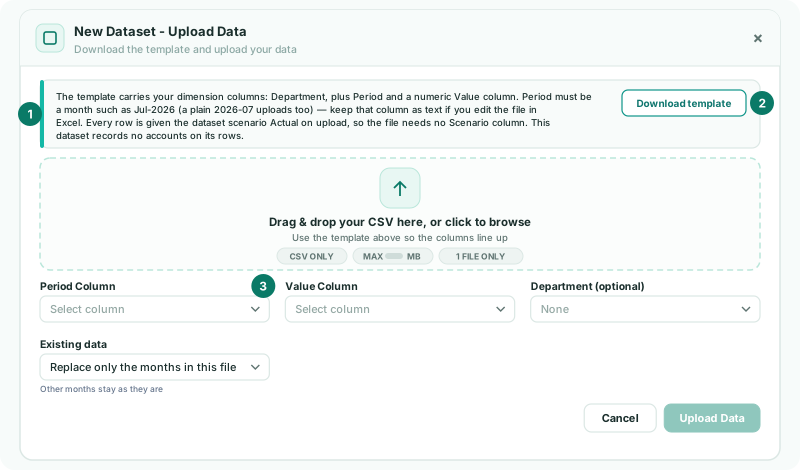
A dataset holds one numeric value per row, by month. Make one dataset for each thing you count: Units sold and Headcount are two datasets, not one. Each row needs a month in the Period column and a number in the Value column.
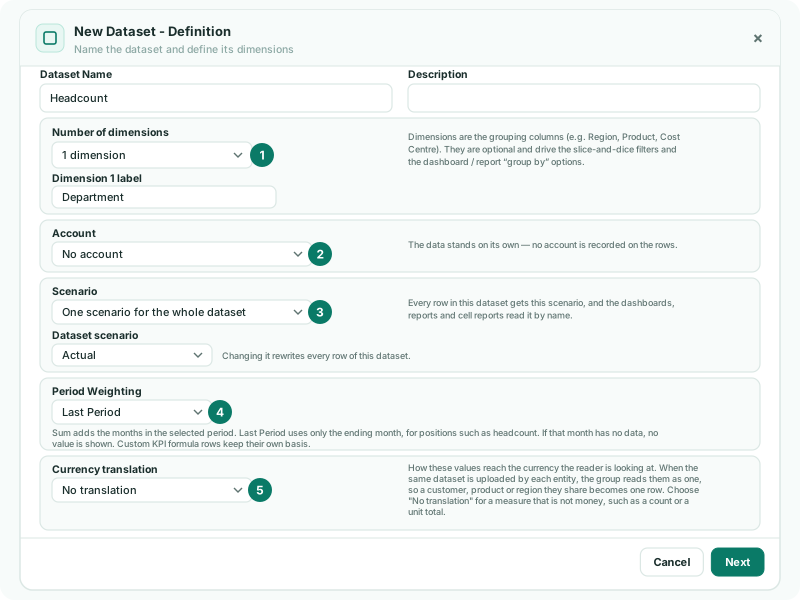
2Choose the settings for each dataset
| Setting | Decide |
|---|---|
| Dimensions | Up to five grouping columns, such as Product, Region or Department. They become the filters and the group-by options in reports and dashboards. Leave them out if you only need the total. |
| Account | No account, One account for the whole dataset, or an Account column in the file. Linking an account lets BrizoConsol check the dataset against the ledger. |
| Scenario | One scenario for the whole dataset, such as Actual, or a Scenario column in the file so one dataset holds actuals, budget and forecast. |
| Period Weighting | Sum for flows such as units sold; Last Period for positions such as headcount. |
| Currency translation | No translation for counts; Average rate or Closing rate for money held in a company’s own currency. |
3Decide which company loads it
A dataset belongs to the company it is created in. Create it in each company whose figures it holds, with the same name and dimensions, so the group can read them together. A parent sees its subsidiaries’ datasets in its own Operational Data list, read-only: only the company that owns a dataset can edit it, upload to it or delete it.
Check
For each dataset you can name its measure, its dimensions, whether it ties to an account, its scenario, Sum or Last Period, and the companies that load it.
Want more detail? See the documentation